Access to demand
Every open request from every verified buyer, with no invitations needed. You don’t have to know the buyer already.
For suppliers
Verified businesses post what they need to buy on Muqayasa. Once your company is verified, you see every open request without needing an invitation or a relationship with the buyer. Quote only the lines you are good at, in one simple form. Only the buyer sees your price. There is no subscription and no commission on what you win.
Already registered? Sign in
Every open request from every verified buyer, with no invitations needed. You don’t have to know the buyer already.
Offer some lines of a request, or all of them. A partial quotation is normal, and buyers award line by line.
Only the buyer sees your price, as soon as you submit. Competitors never see it, and nobody is shown a ranking.
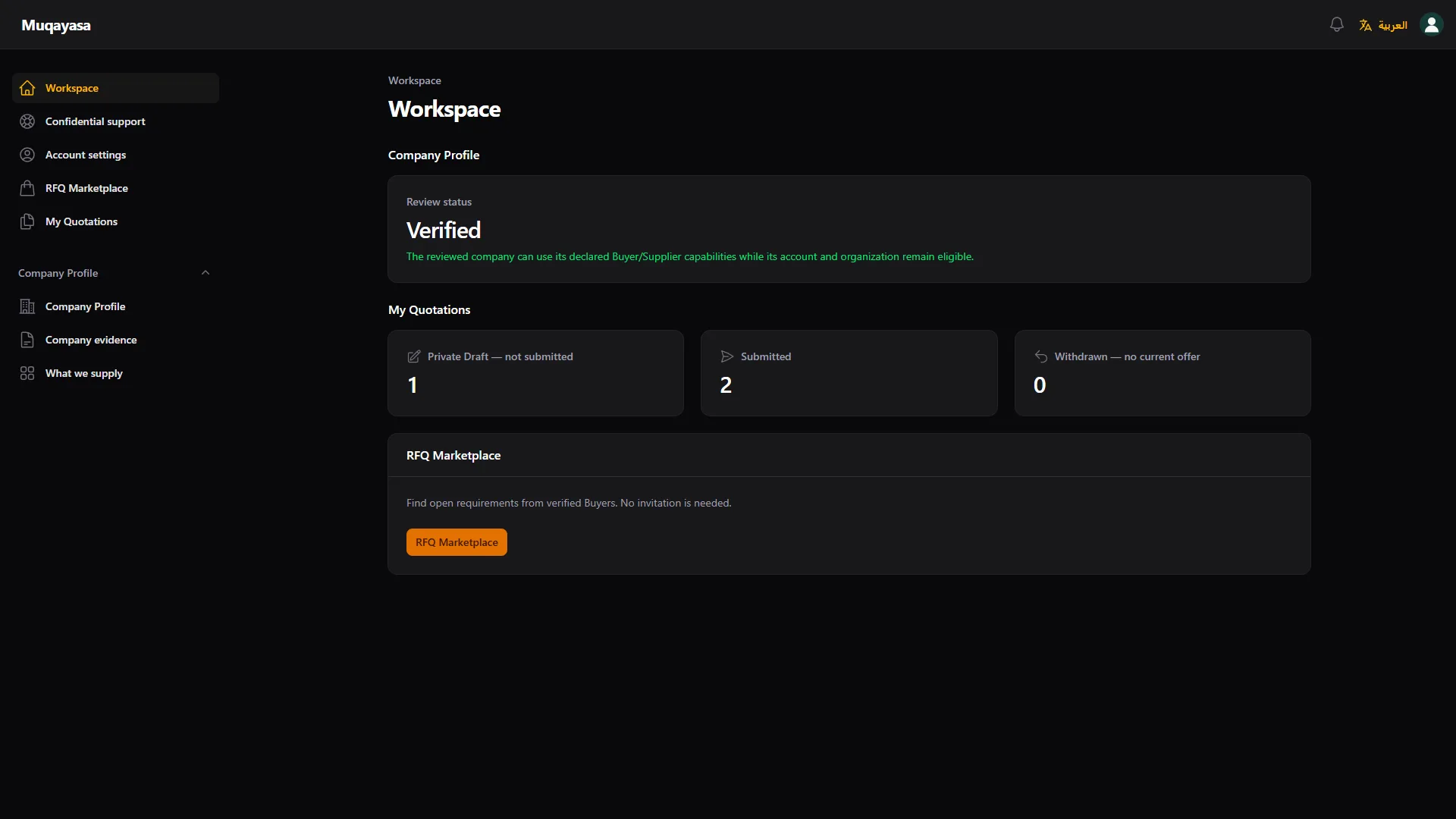
Register with a work email, mobile number and password, and confirm your email. Add your company’s legal name in Arabic and English, CR number, National Address, business email and phone, and VAT details, then upload two PDFs: your commercial registration and a document showing you may act for the company. The Muqayasa team checks them and approves your company or tells you what to fix.
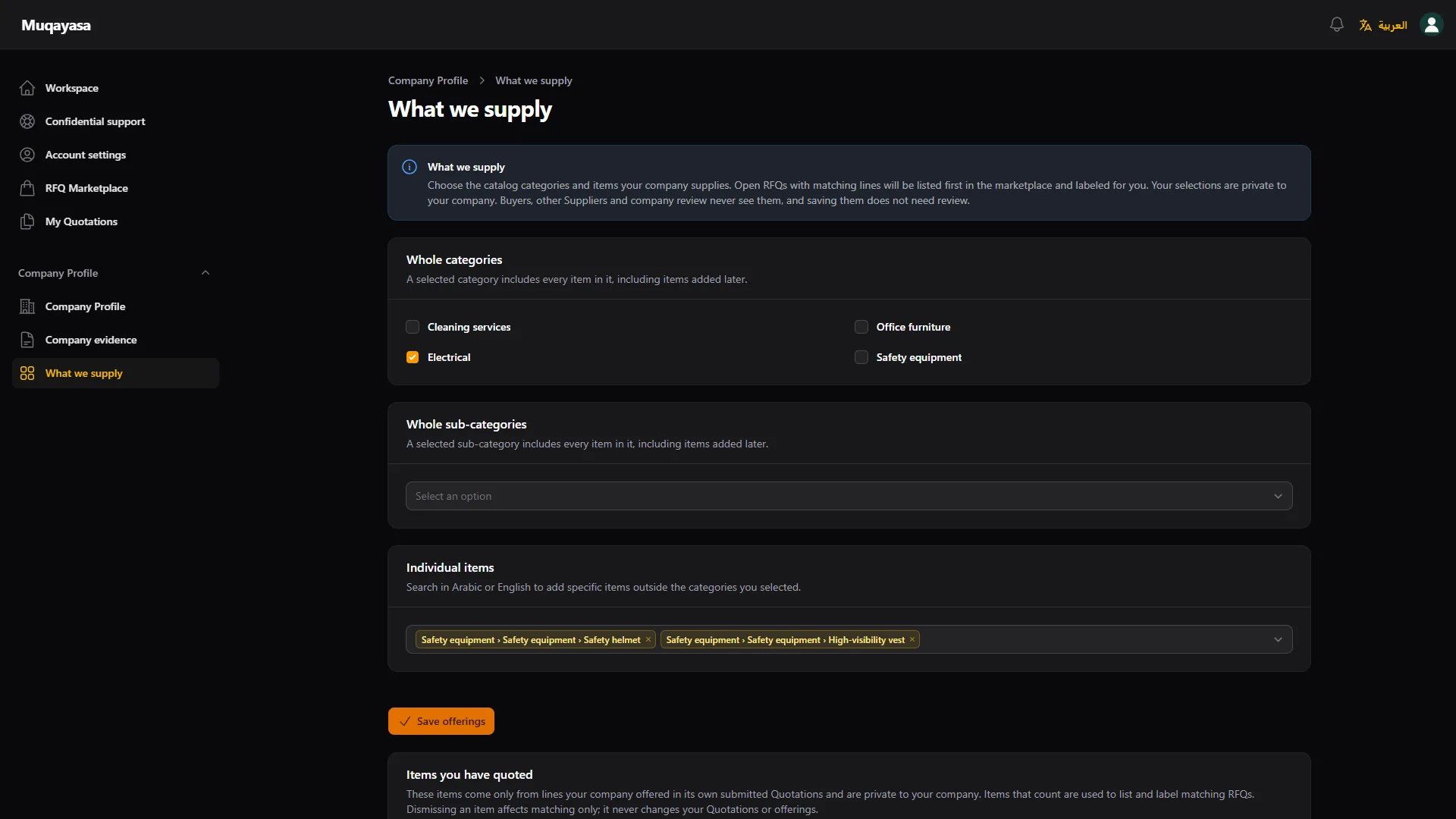
Choose whole categories or specific items from the Muqayasa catalog. Matching requests are labelled and shown first. This list is private, and every open request stays visible either way.
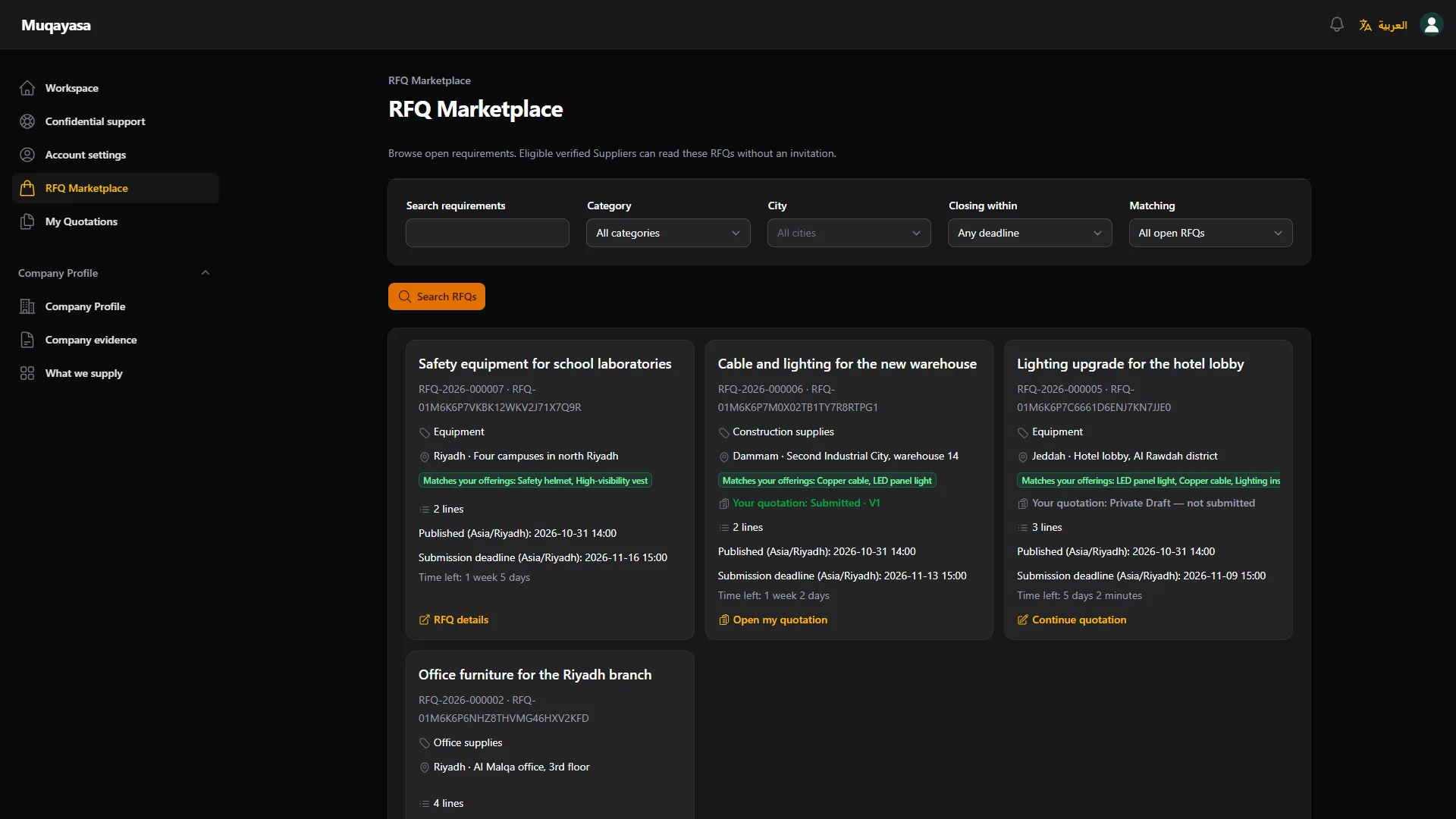
Each open request shows its title, category, delivery city, number of lines and deadline. Search by keyword or request number, and filter by category, city or closing date. A request shows the buyer’s legal company name, CR number and verification date, every line, the delivery details and the buyer’s terms.
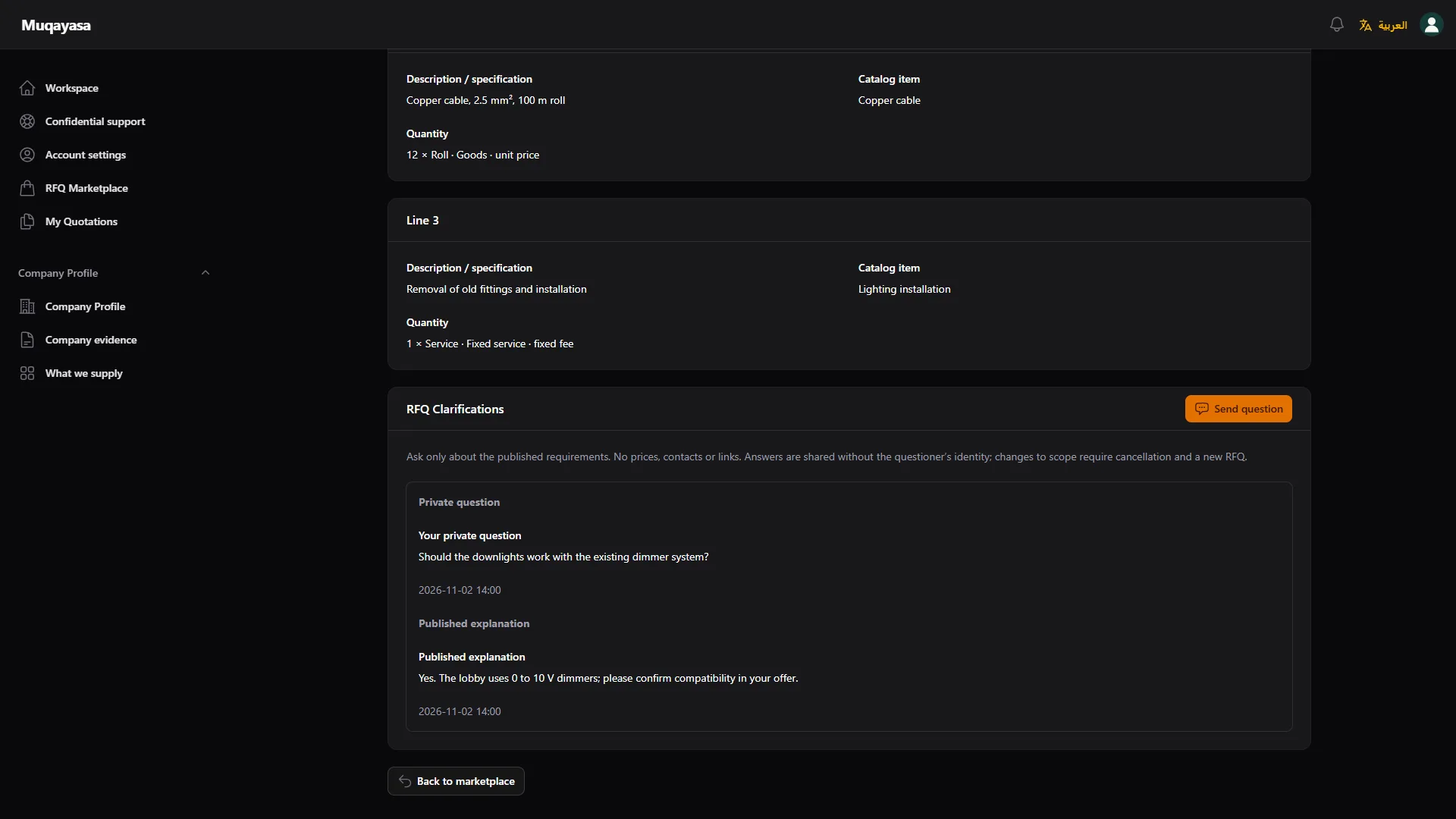
The buyer is not told which company asked, and the answer is published to every supplier on that request. Phone numbers, emails, links and prices are blocked in questions.
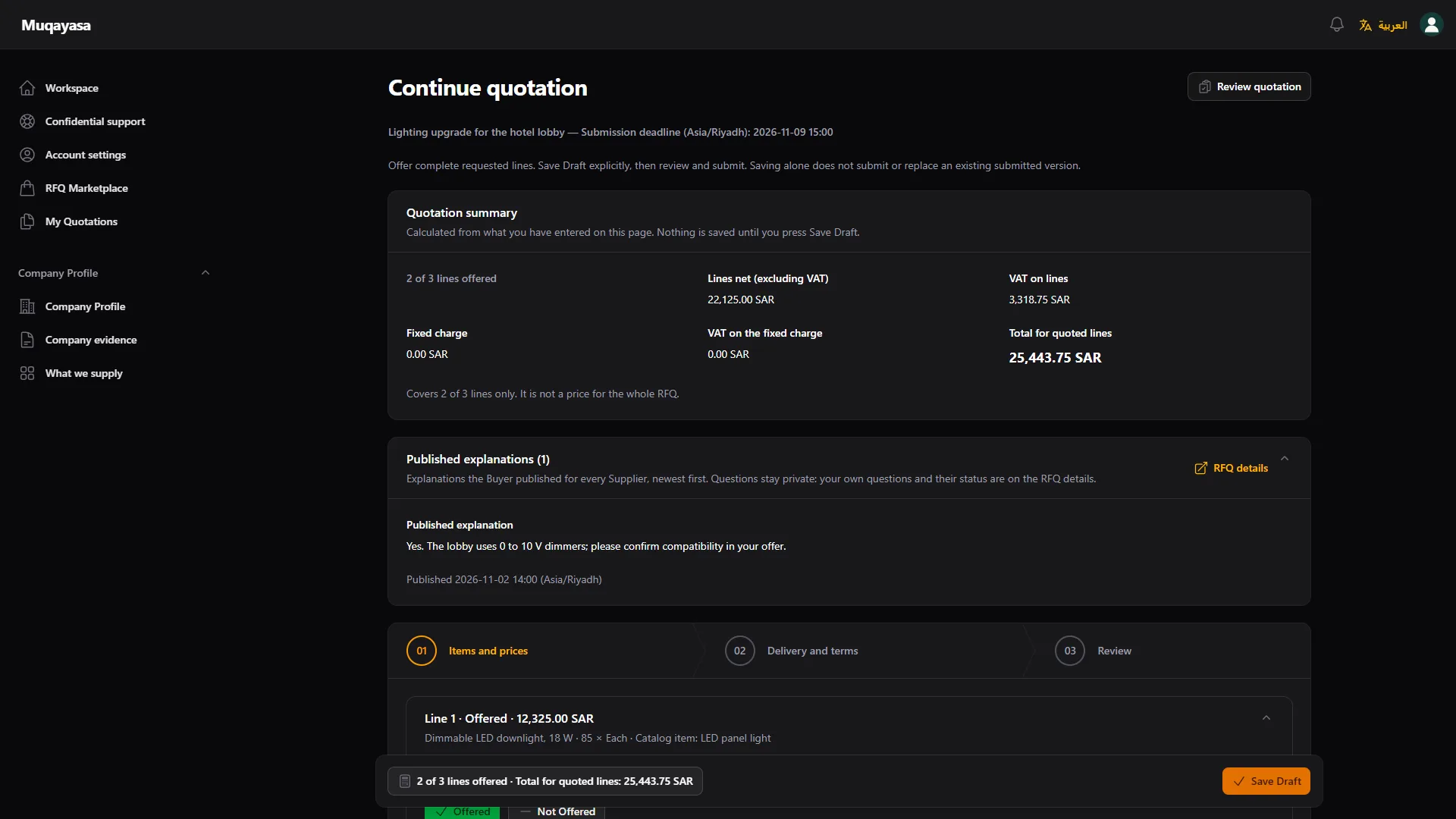
The form follows the request line by line. Mark each line Offered or Not offered; an offered line is always for the full quantity. Enter what you offer and the unit price excluding VAT, then one fixed delivery charge if any, a delivery estimate and validity counted from when the request closes. Totals, VAT and coverage such as “7 of 10 lines” are calculated as you go. Save a draft and come back later.
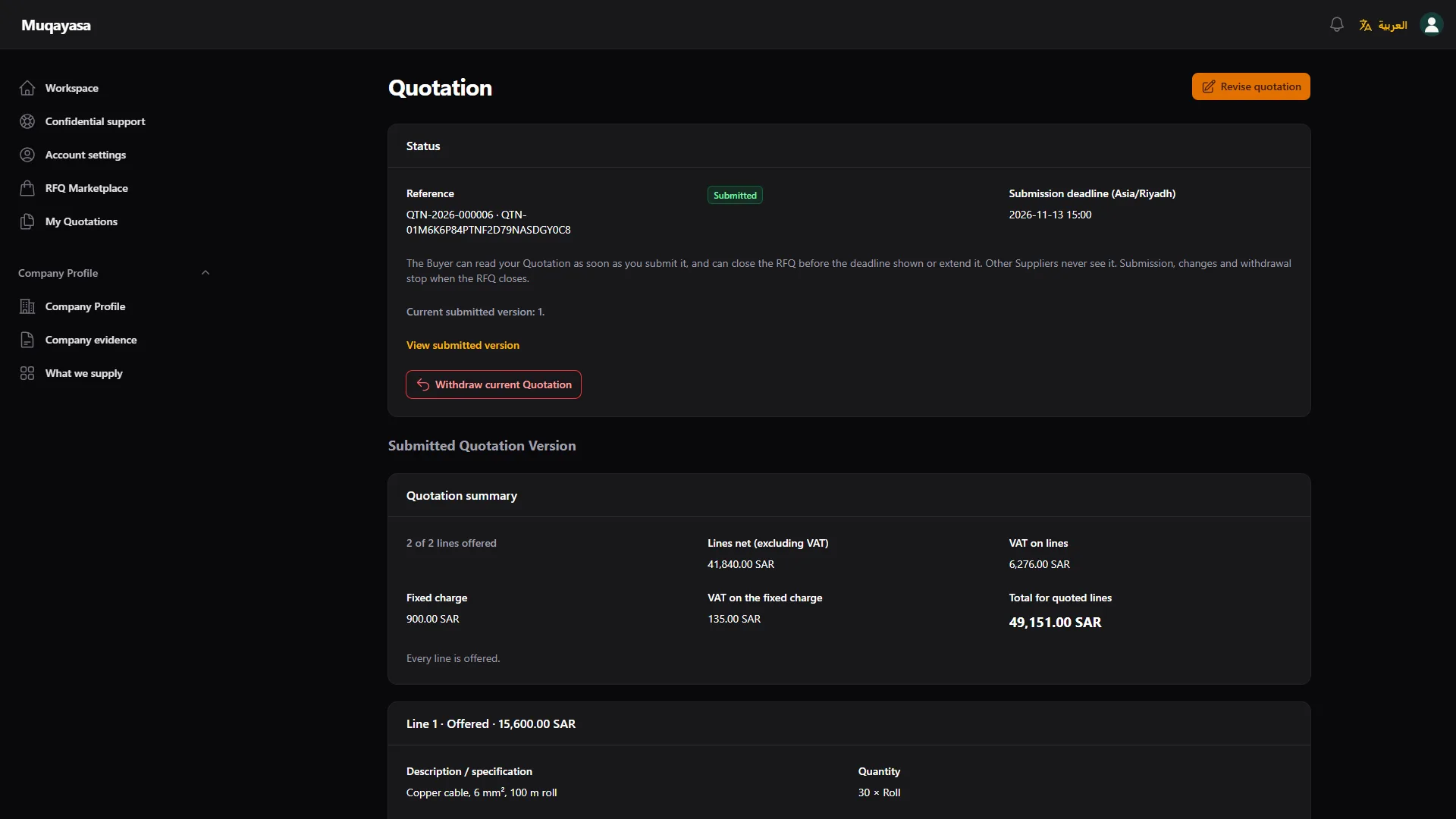
Check the summary and the list of lines you did not offer, then submit. The buyer can read it straight away. Until the request closes you can revise and resubmit as often as you need, or withdraw. The buyer can close before the deadline shown, or extend it, so do not leave it to the last minute.
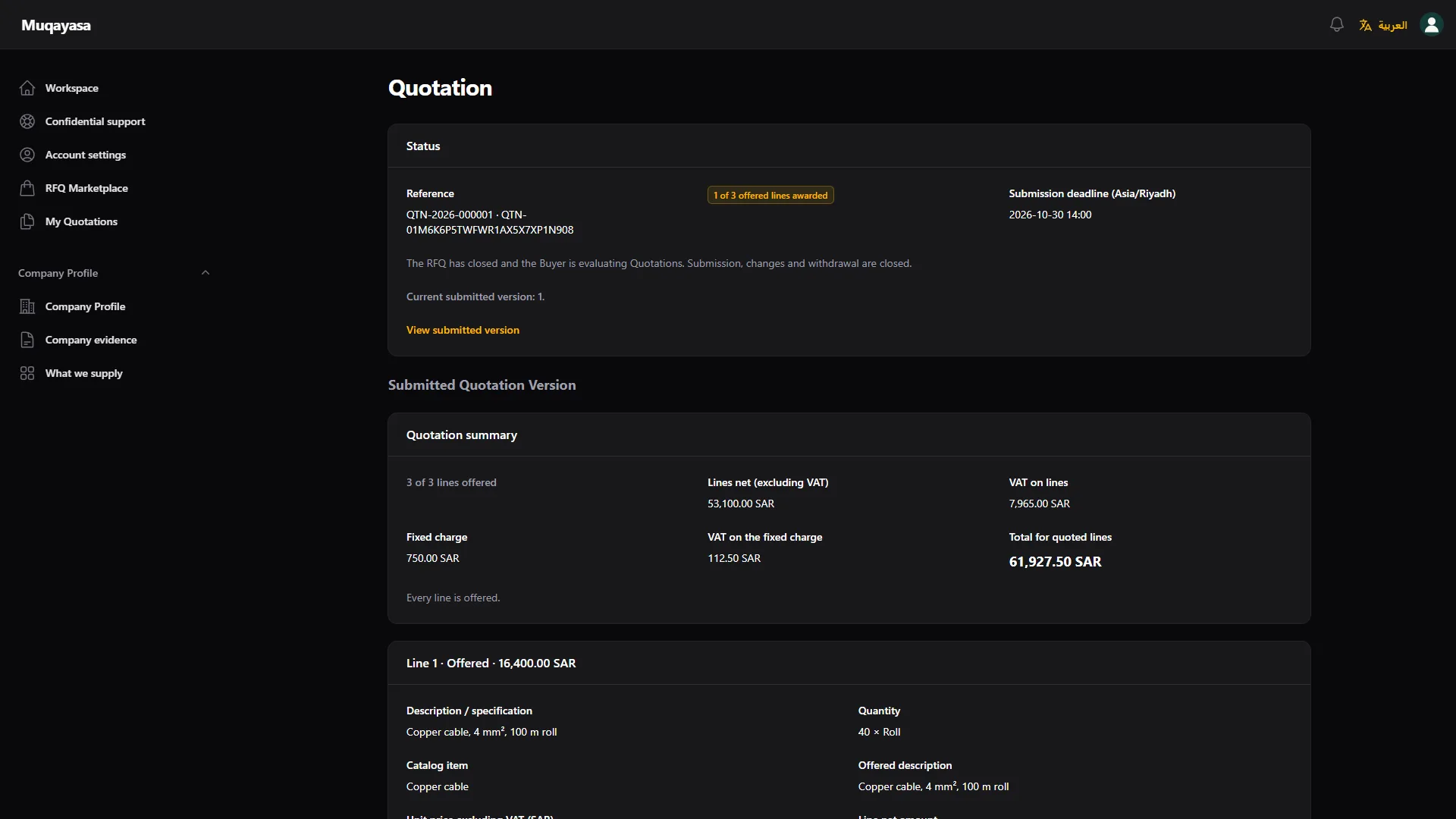
Once the request closes, the buyer decides each line. If the buyer shortlists your lines you receive an email, and either side can choose to share contacts. You see your own result on each line you offered, such as “3 of 5 offered lines awarded”, never anyone else’s. If the buyer sends you an Order, you accept or decline it in Muqayasa. You issue your own tax invoices, and payment and delivery happen directly with the buyer. On an accepted Order you can record your delivery notes and invoices, and confirm the payments the buyer records. Muqayasa only keeps the record.
Step 1 of 7
Screens from Muqayasa with fictional data
| Today | With Muqayasa |
|---|---|
| You only hear about requests if you already know the buyer. | Every open request from every verified buyer, without invitations. |
| Large orders include items you don’t carry, so you lose the whole job. | Quote only your lines. Buyers award line by line, so your lines can still win. |
| Your price reaches a competitor, who undercuts you. | Only the buyer sees quotations. No competitor ever sees your price. |
| Every buyer wants a different quotation format. | One simple form that mirrors the request, with totals and VAT calculated for you. |
| Your full quotation is compared with a competitor’s partial one. | Coverage is shown beside every total, so comparisons are like for like. |
| You can’t tell whether a request is genuine. | Every buyer is a verified business, and its legal name and CR are on the request. |
| Delivery charges are counted twice when you win part of an order. | One fixed delivery charge per quotation, counted once. |
| Platforms take a commission. | Muqayasa is free, with no subscription and no commission. |
No. Once verified you can quote on any open request, except your own company’s requests if you also buy.
Check the marketplace. There are no new-request emails today. Telling Muqayasa what you supply puts matching requests first. Emails cover the requests you are already working on: reminders, answers, shortlisting and results.
Yes, until the request closes. Revise and resubmit as often as you like. The buyer sees your latest version and can open earlier ones. After it closes the price is fixed.
Then you cannot offer that line, because each offered line covers the full requested quantity. You can still offer the other lines.
Describe it in the offered description, and note any difference from the specification under disclosed differences.
No. Each line is priced on its own and the buyer may choose any combination. The one exception is a single fixed delivery charge, applied once.
Choose a VAT treatment for each line and for the delivery charge: standard 15%, zero-rated, exempt, or not VAT registered. The default follows your company’s VAT registration, and amounts are calculated and rounded exactly.
No. There is no public directory or profile page. Buyers learn about you through your quotations.
Not yet. Each company has one user account today. If that person leaves, the Muqayasa team can transfer the account after checking authority.
Knowing this before you register saves time.
Buying as well? See how it works for buyers