Reach without chasing
One request reaches every verified supplier. No invitation lists, and no retyping the same request for ten vendors.
For buyers
Describe what you need once, line by line. Every verified supplier on Muqayasa can see it and quote, with no invitations to send. You read each quotation as soon as it arrives, compare them side by side, and choose a supplier for each line. Close as soon as you are ready, or extend the deadline if you need more offers.
Already registered? Sign in
One request reaches every verified supplier. No invitation lists, and no retyping the same request for ten vendors.
You see prices as they arrive. Suppliers never see each other’s offers, and every supplier quotes against the same published request.
Every supplier prices the same lines, units and quantities, so offers line up in one table with totals and VAT calculated exactly.
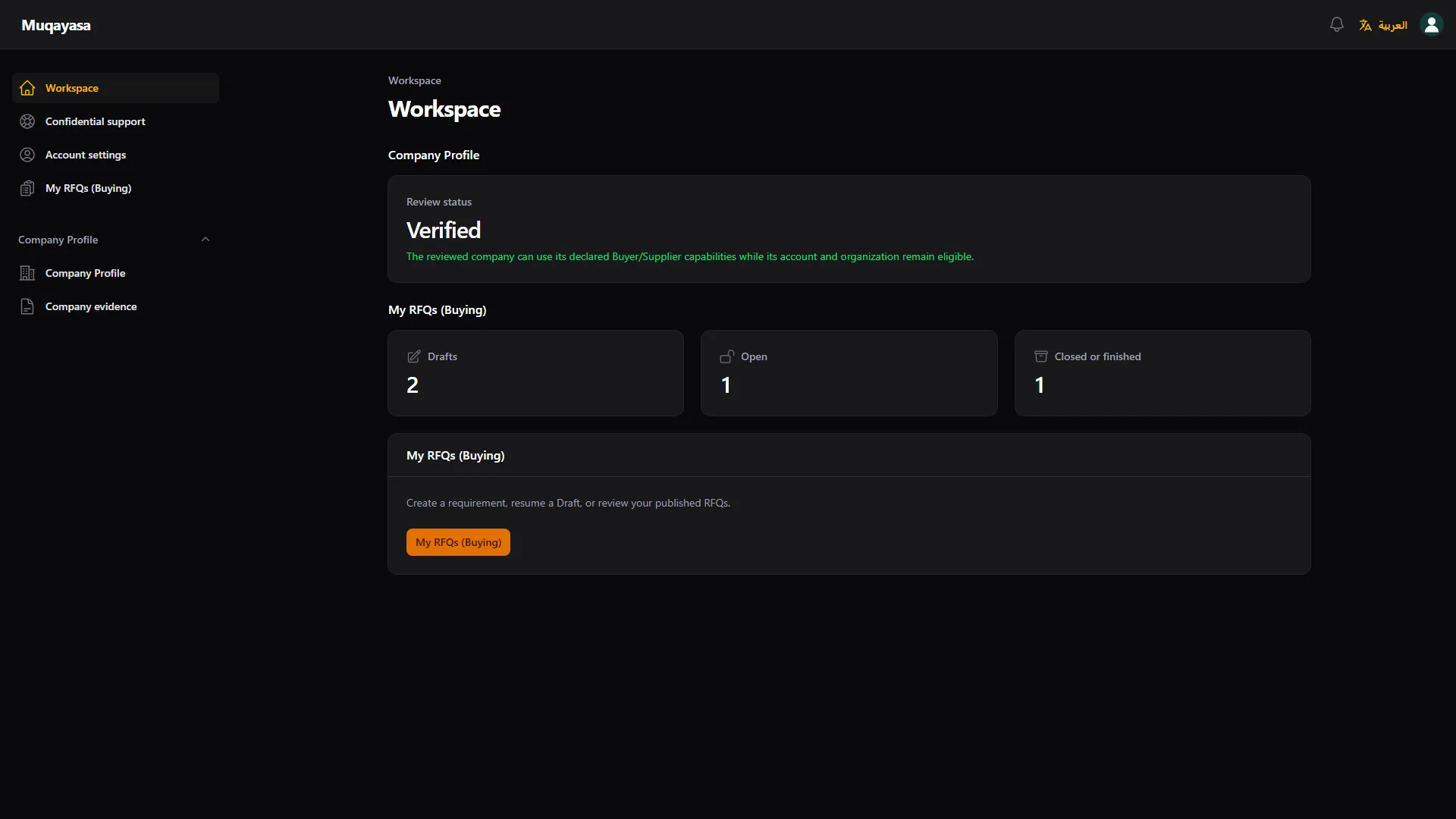
Register with a work email, mobile number and password, and confirm your email. Add your company’s legal name in Arabic and English, CR number, National Address and VAT details, then upload two PDFs: your commercial registration and a document showing you may act for the company. The Muqayasa team checks them and approves your company or tells you what to fix.
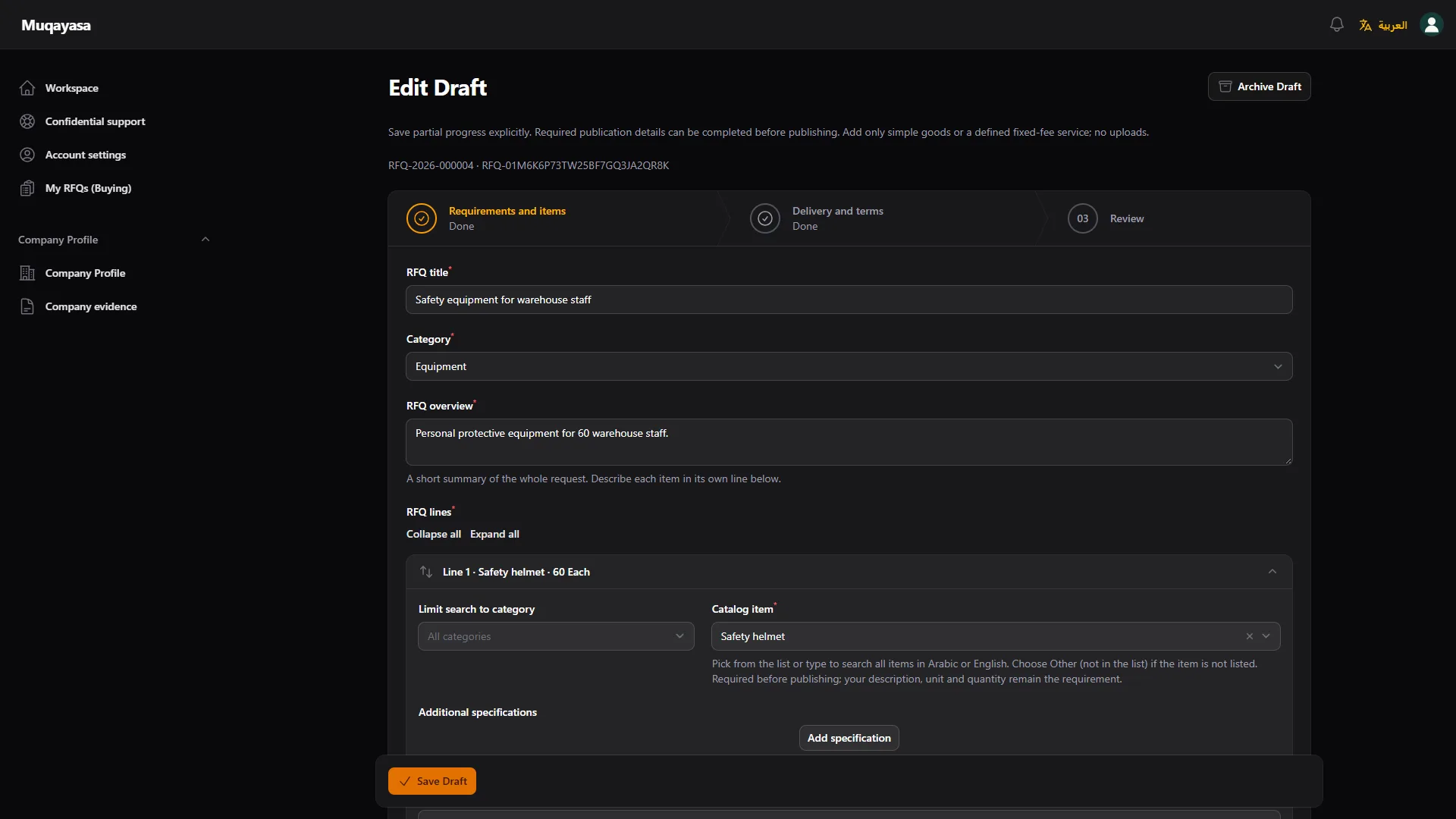
Three short steps: the items, one line per item or service with its quantity and unit; delivery and terms, including payment terms, minimum validity and the deadline; and a review showing exactly what suppliers will see. Up to 100 lines per request. Save a draft and finish it later.
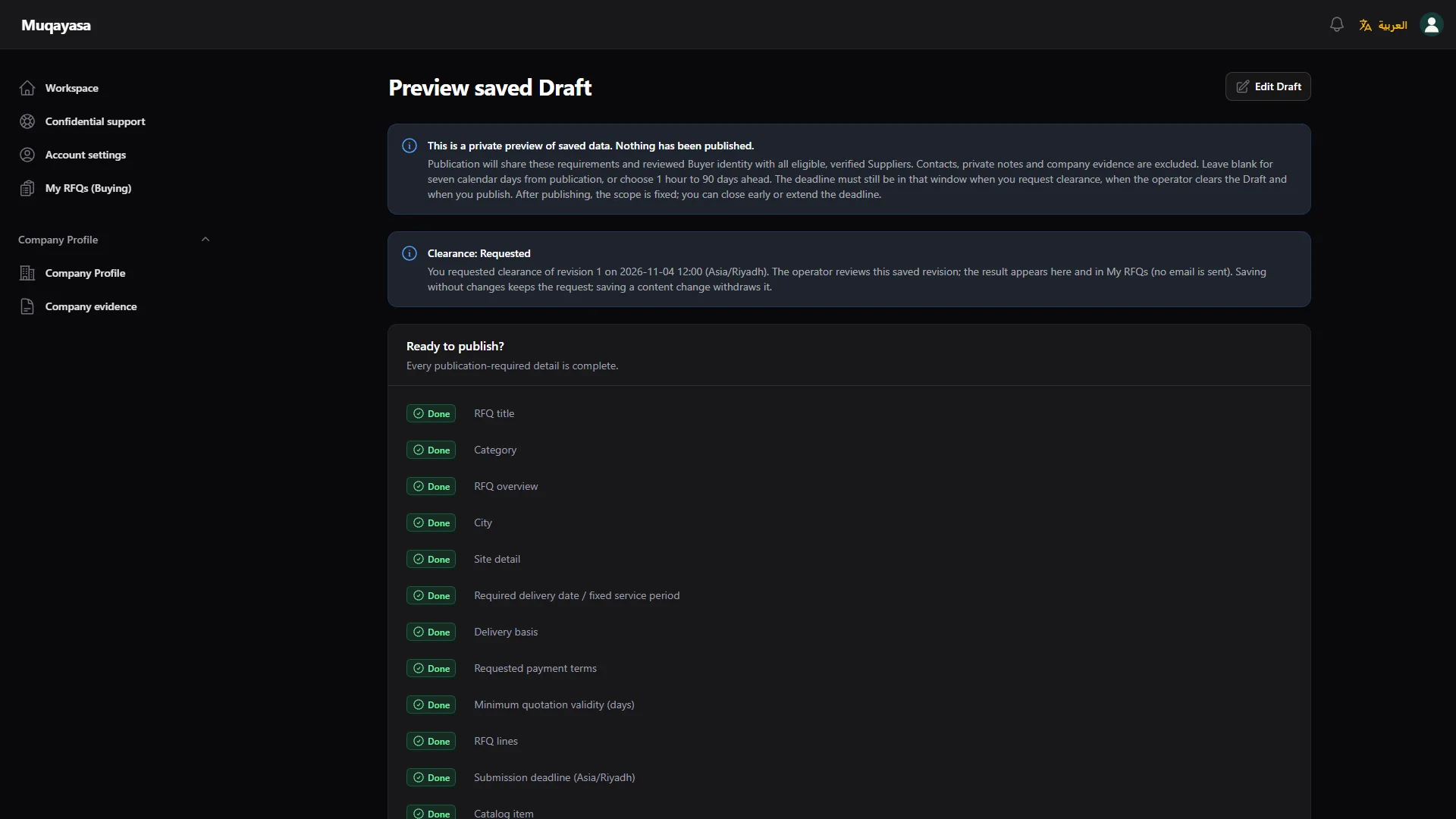
Before each of your first three requests goes live, the Muqayasa team takes a short look at it. From the fourth request on, you publish straight away.
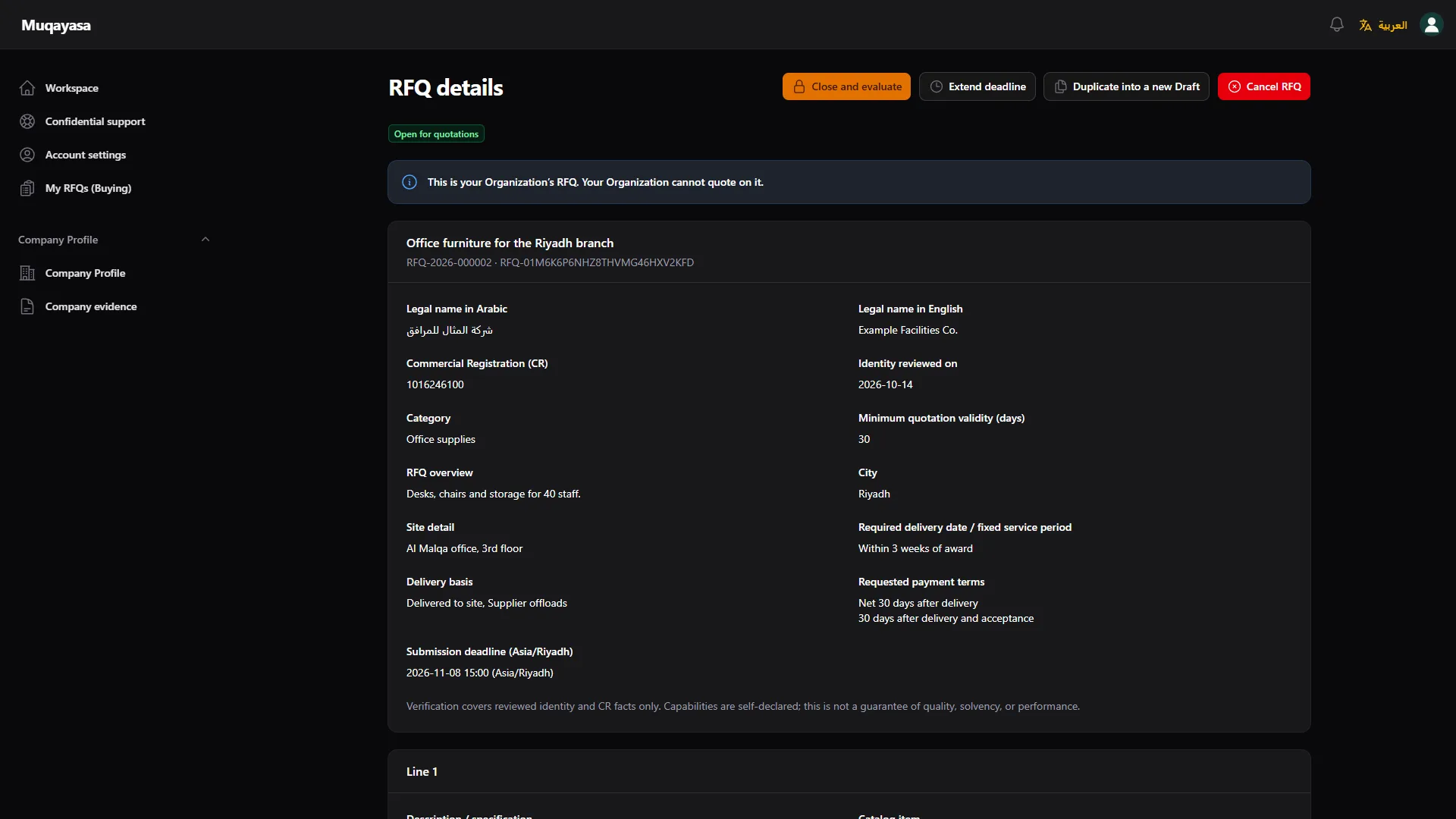
Your request goes live for every verified supplier at once. The deadline defaults to 7 days and can be anywhere from 1 hour to 90 days after publishing. Once published, the scope is fixed so every supplier quotes the same request. You can close early or extend the deadline. To change the scope, cancel it with a reason and copy it into a new draft in one click.
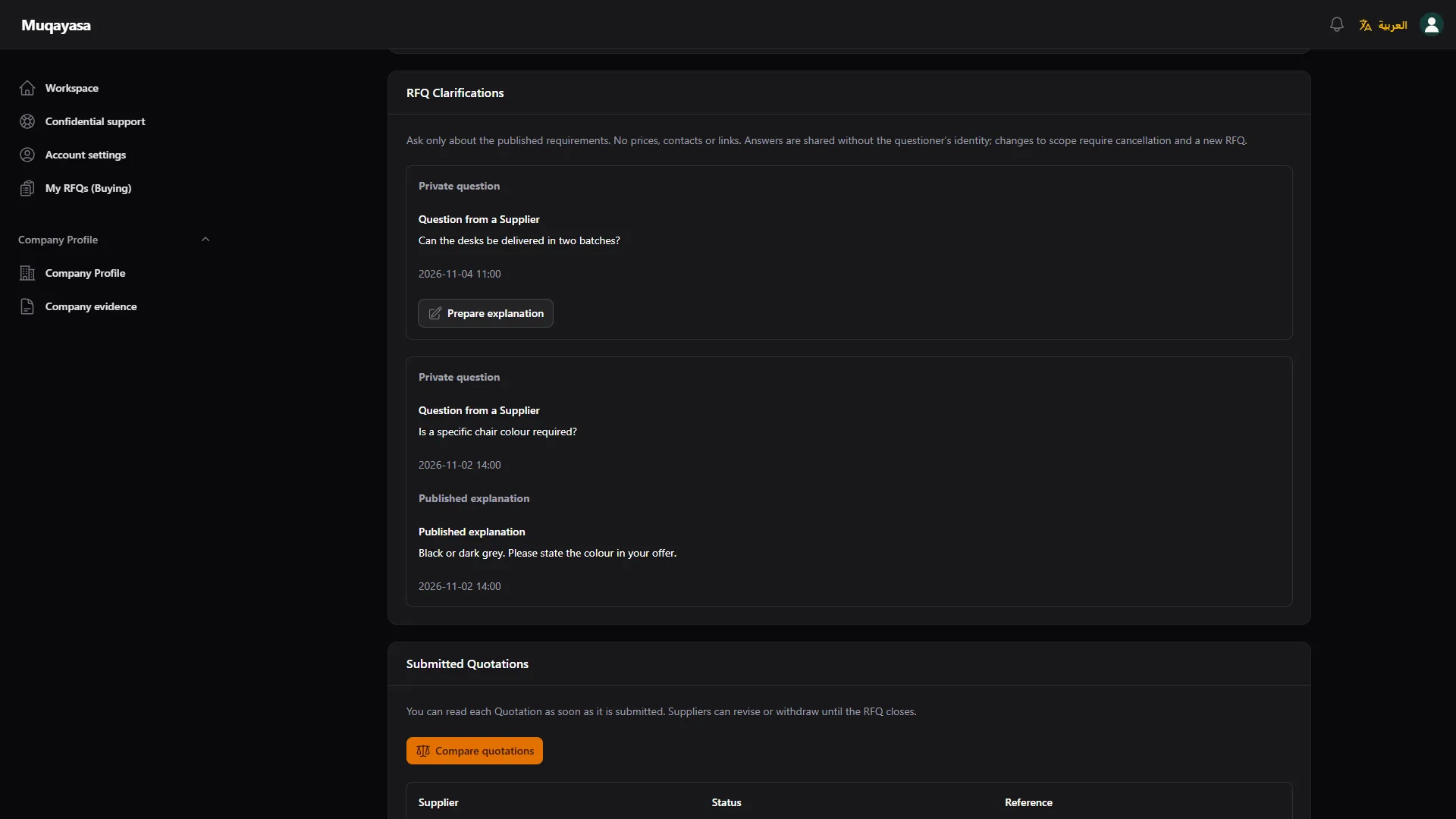
Suppliers can ask questions without being named, and your answer is published to every supplier. Phone numbers, emails, links and prices are blocked in questions. You can see which companies have quoted and read each quotation as it arrives.
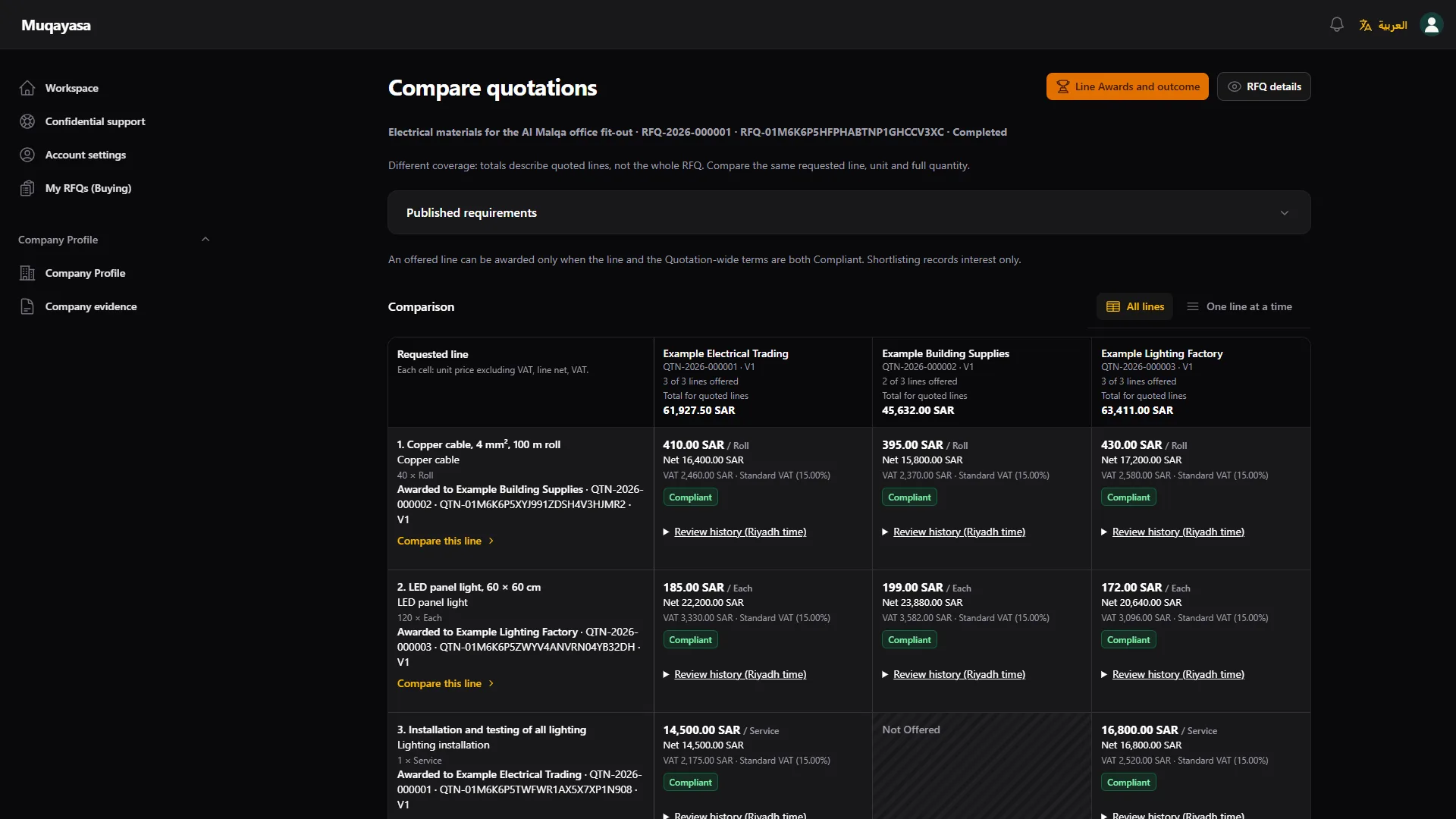
Read each quotation as soon as it is submitted, then close and evaluate when you are ready. Your lines are rows and suppliers are columns, with unit prices, VAT, coverage such as “7 of 10 lines” and each supplier’s terms. A line a supplier skipped shows “Not offered”, never zero. On a phone you see one line at a time.
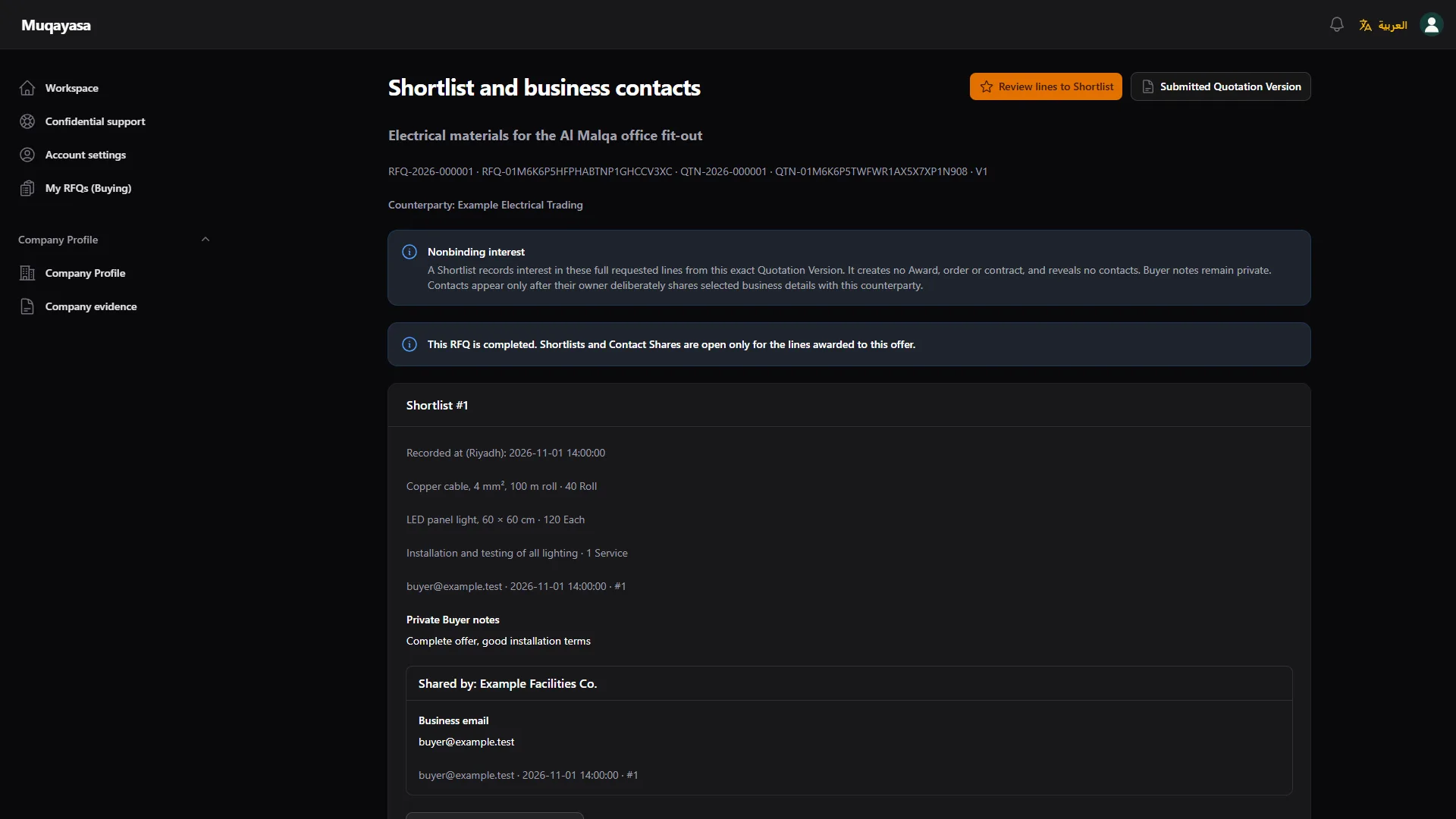
Shortlist the offers you are interested in. Either side can then choose to share a business email or phone to discuss details. Nothing is shared without a deliberate click.
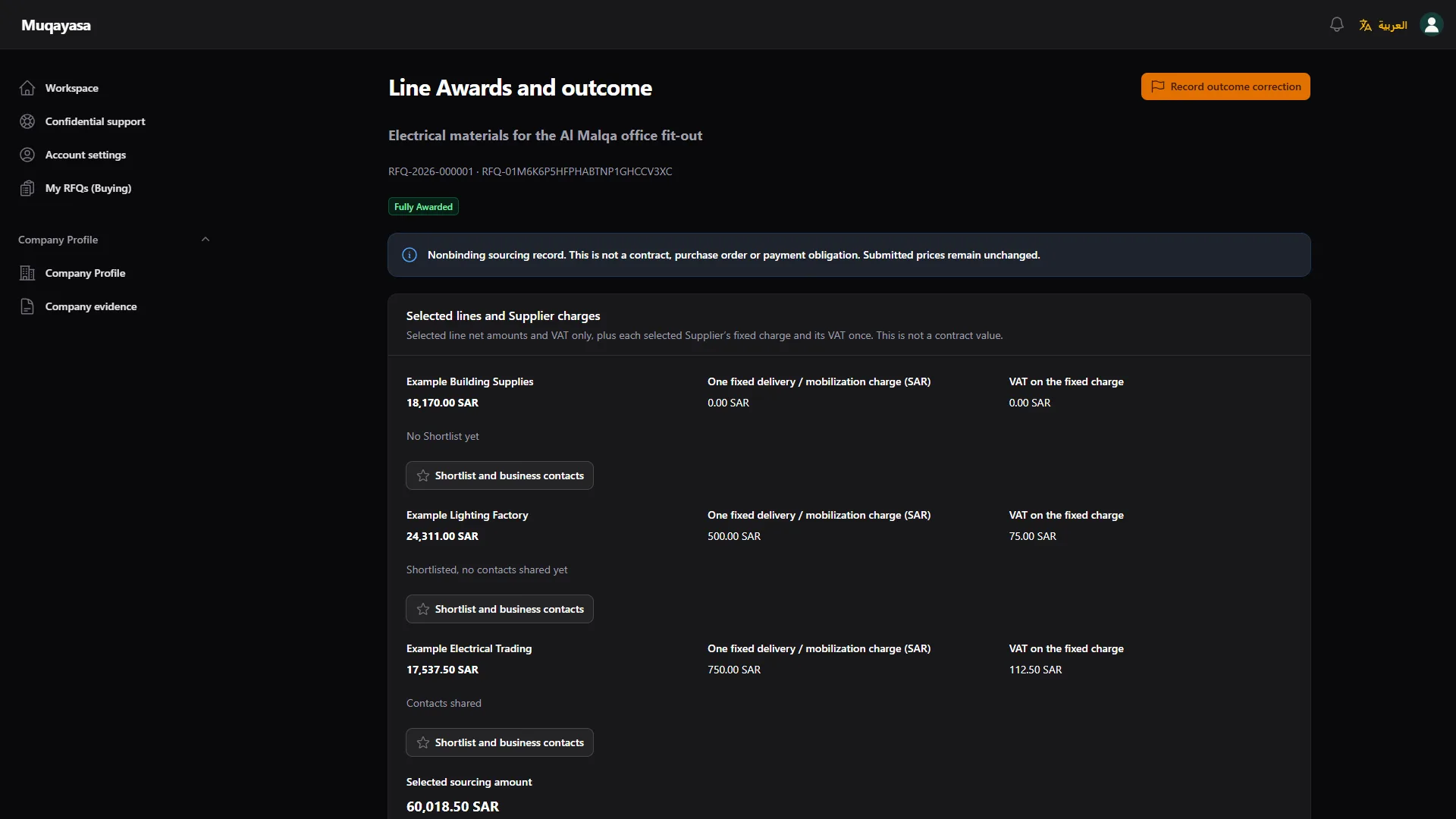
Choose a supplier for each line, or mark it Not awarded. If you choose an offer that is not the lowest compliant price, add a short justification for your records. Each supplier is told only its own result. You can then send each awarded supplier an Order in one step. Payment and delivery happen directly between the two companies, and Muqayasa only keeps the record.
Step 1 of 8
Screens from Muqayasa with fictional data
| Today | With Muqayasa |
|---|---|
| You only get quotes from the vendors you already know. | Every verified supplier sees your request, without an invitation. |
| Every quote arrives in a different format. | Everyone prices the same lines, units and quantities in the same form. |
| Comparing quotes in a spreadsheet is slow and error-prone. | A ready-made line-by-line comparison, with VAT and totals calculated exactly. |
| A partial quote looks cheaper than a complete one. | Coverage is shown beside every total, such as “7 of 10 lines”. |
| You want different vendors for different items. | Award each line to a different supplier. |
| Vendors call you the moment you send a request. | Your phone and email stay hidden until you choose to share them. |
| Management asks why you didn’t choose the cheapest. | Each award keeps its reason, and a justification is required when the choice is not the lowest compliant offer. |
Only signed-in, verified suppliers. It is not on the public internet or in search engines.
There are no invitations. Every verified supplier sees every open request. Your existing suppliers can register and get verified like anyone else.
Yes. You can read each quotation as soon as it is submitted. Suppliers can revise or withdraw until the request closes, and you see the latest version. No other supplier sees it.
You can extend the deadline, or close early as soon as you have a quotation. Extending stays possible after closing, until you record your first Shortlist or Award decision. To change the request itself, cancel it with a reason and copy it into a new draft in one click.
You can still compare and award. A limited-competition note is kept in the record; three quotations are never required.
No. There is no ranking or automatic winner. You see the facts side by side and decide.
The Muqayasa team checks each supplier’s commercial registration and its representative’s authority, the same check you go through. It is not a quality guarantee, so keep your usual due diligence before contracting.
Emails cover the important moments: a supplier asked a question, a quotation was submitted, revised or withdrawn, the request closed, and a reminder if you have not recorded the outcome a day after it closed. Everything else is on screen.
Not yet. Each company has one user account today. If that person leaves, the Muqayasa team can move the account to a replacement after checking their authority.
Knowing this before you register saves time.
Selling as well? See how it works for suppliers